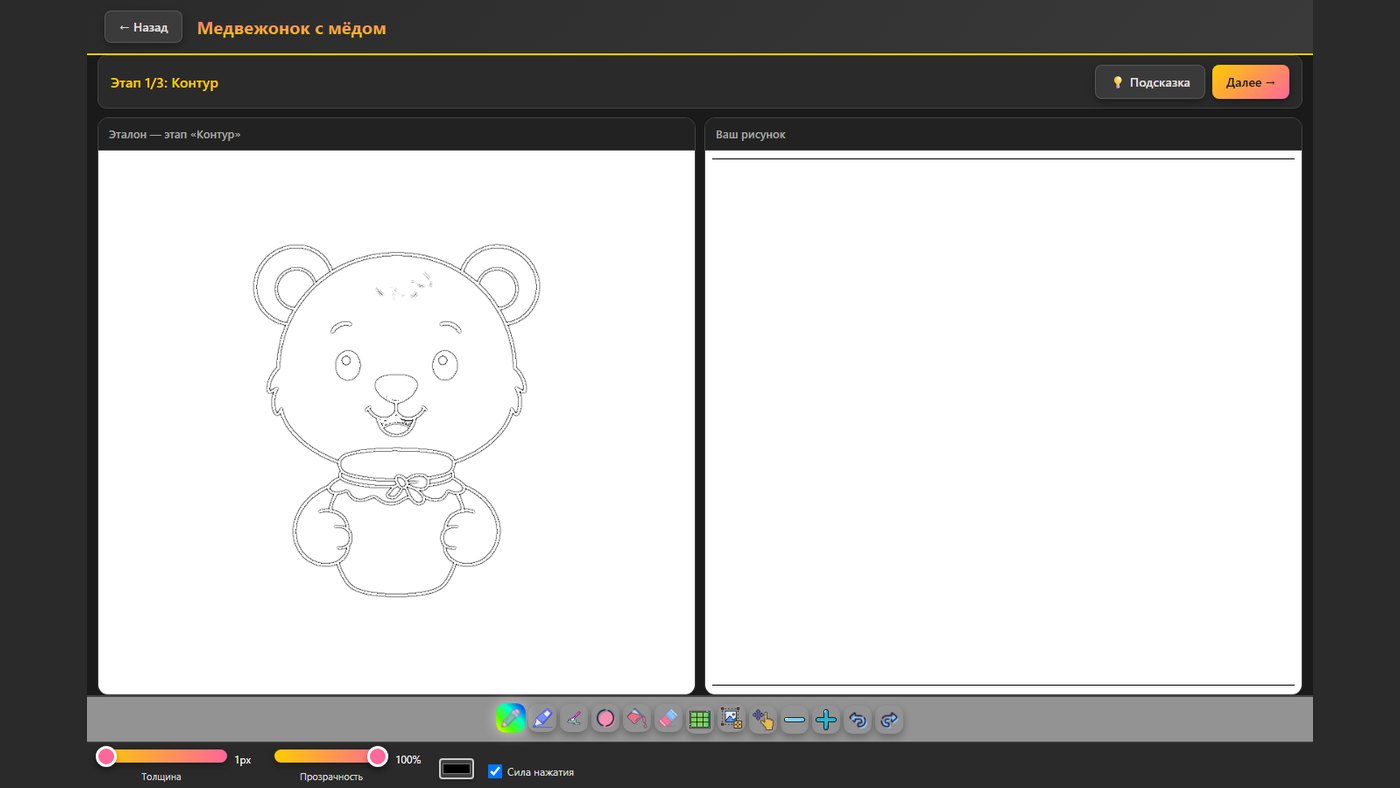
How the task works
In trace the drawing you pick a finished task and follow a reference, instead of inventing a subject on a blank sheet. It is a solo job. There is no second player handing you a turn. The mode shows the step, the hint, and at the end a similarity score against the original.
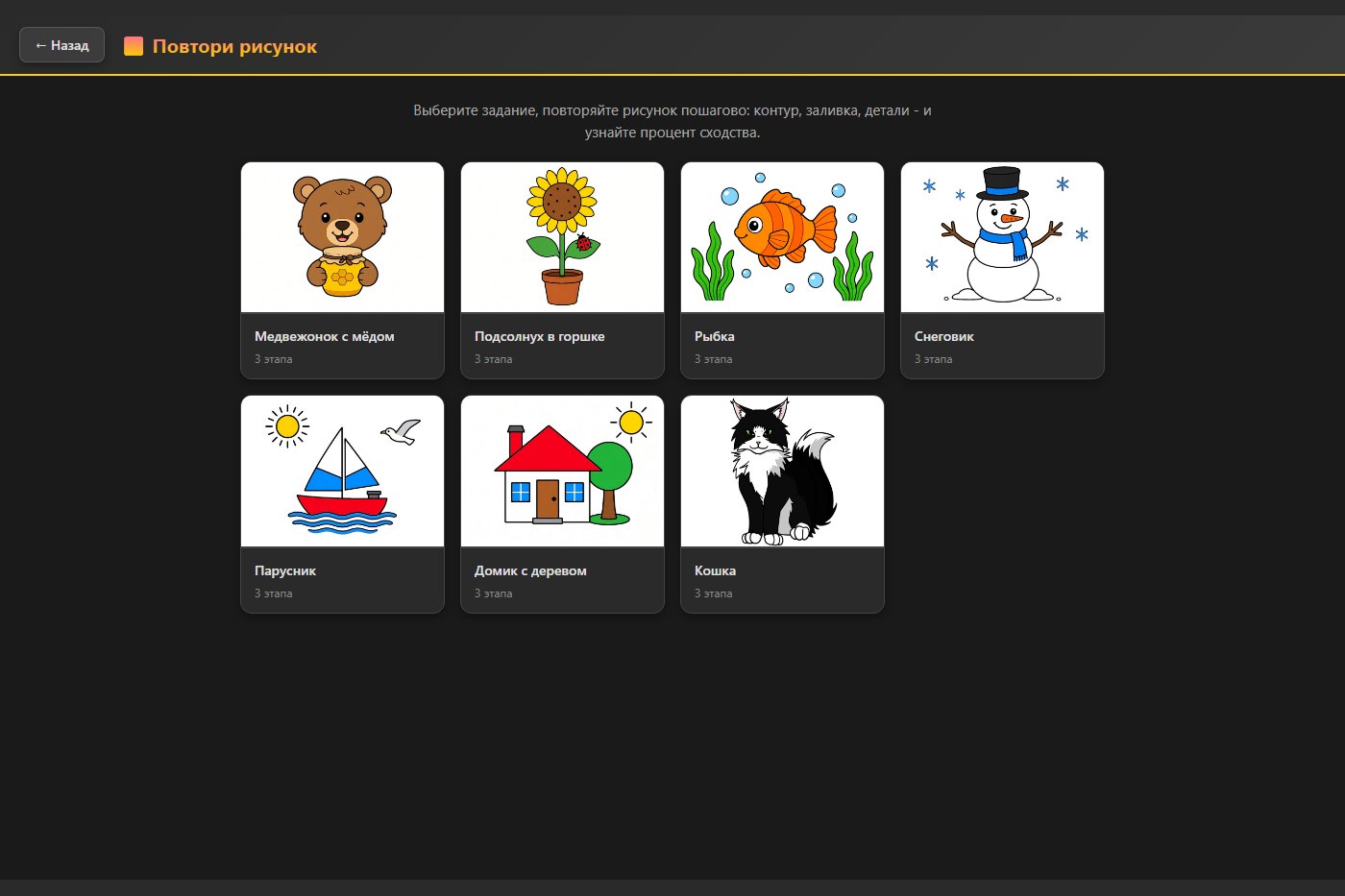
A reference and your steps
First you choose a task. Then the canvas shows one stage: outline, fill, or details. Beside it is the sample for that step and your own sheet. The next stage stays shut until this one is done, so "make it pretty first" does not work. The big shape has to sit down.
The similarity score
After the last stage the mode compares your sheet with the original and shows how close they came. It counts the drawing. The feeling that it looked close while you were working does not go into the number.
Three steps
The order stays the same, and the mode does not offer a way to skip it. Outer edge first, then the large color areas, then the small marks. How neighboring patches stay apart is in the guide on color theory.
Outline
The first step is the main contour with pencil or brush. The hint on this stage is about that contour, not about eyelashes. If the outer edge misses, the fill lands in the wrong shape, and the score will say so.
Fill
Next come the large zones in a base color: the middle of the thing, not a highlight and not a crease. This is the step where it is tempting to "add character." Leave it. Character is not open yet.
Details
The last step is short strokes. An ear, the edge of a shadow, a small fold. If the outline and the fill are already close to the reference, a detail supports them. If the big shape wandered off, an eyelash will not bring it back.
- on the outline, hold the main contour and leave the small marks;
- on the fill, close the large zones with a base color;
- on the details, add a short stroke on top;
- each stage has its own hint and its own sample;
- the percentage appears only after you finish.
What the mode does
The step, the hint, and the score are built into the task. There is no separate room where someone assigns a queue. It is you and the reference.
The hint and the Next button
The hint says what to do now: trace the main outline, fill the large areas, or add small strokes. Next switches the stage. While you are on the outline, the full detailed reference does not replace this step. Otherwise your hand runs straight into the small marks.
Two sheets side by side
The stage is labeled as the current one of the set. Beside it are the sample for this step and your drawing. The sample stays a sample. You do not draw on it.
The score at the end
The finish button starts the count. The result is similarity to the original. You can run the same task again or pick another one if this reference has worn out.
What stays in your hand
The percentage helps if, after it, you can see where the sheet drifted. The number alone, without a second look at the reference, teaches nothing. It only tells you that another look is worth it.
Look at the mass
On the outline, hold the outer edge and the large divisions. If you chase every highlight on the first step, the fill will not match the reference later. That is the usual reason for a low score, and it is obvious once your sheet sits next to the sample.
The same task again
Try again brings back the same reference. A second pass usually sits better because you already know which step your hand missed, not because you "tried harder" in the abstract. If you would rather finish a half that is already drawn, that is a different mode: finish the drawing.
- Choose a task and look at the sample for the first step.
- Close the outline without wandering into small strokes.
- Fill the large zones with a base color.
- Add the details and press finish.
- Look at the percentage and at the place where your sheet left the original.
Time to draw, not just read
Theory fades in a couple of days if you never use it. Open the editor and spend 15 minutes on what you just read. That is enough for the skill to stick.
Try it now
A free online editor: brushes, layers, a palette, and a shared canvas. No install and no sign-up.
Start drawingTopics in this guide
- trace the drawing
- similarity score
- drawing from a reference
- outline fill details
- drawing game mode
← Online coloring pages: fill, brush, and a clean contour Finish the drawing: the right half and the score →